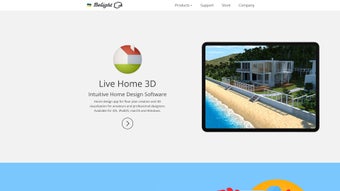

Download Live Interior 3D – free 3D interior design tool for Mac
Overview
Live Interior 3D is a powerful multimedia application built especially for Mac users who want to visualize and plan interior‑design changes without hiring a professional. The software is completely free, which makes it an attractive option for homeowners, renters, and design enthusiasts who are looking for a cost‑effective way to experiment with furniture layouts, color palettes, and decorative accessories. By providing a user‑friendly drag‑and‑drop environment, Live Interior 3D eliminates the steep learning curve that many 3D modeling tools impose. The program ships with more than 50 pre‑designed room templates and a library of over 1,000 furniture pieces, ranging from classic Victorian sofas to modern minimalist lighting fixtures. Users can also import additional models directly from Google 3D Warehouse, dramatically expanding the creative possibilities. Whether you’re re‑imagining a single bedroom or redesigning an entire house, Live Interior 3D offers realistic rendering, accurate measurements, and instant visual feedback. This helps you avoid costly design clashes, make smarter purchasing decisions, and communicate your ideas clearly to contractors or family members. Because the application runs natively on macOS, it takes advantage of Apple’s graphics acceleration, ensuring smooth navigation and high‑quality textures even on older MacBook models.
Key Features
- Free download with no hidden fees or subscription requirements.
- More than 50 professionally designed room templates covering living rooms, kitchens, bedrooms, offices, and outdoor patios.
- Over 1,000 high‑resolution furniture items, décor pieces, and accessories organized by style, brand, and price range.
- Seamless integration with Google 3D Warehouse, granting access to millions of additional 3D models and textures.
- Real‑time 3D rendering with realistic lighting, shadows, and material reflections.
- Intuitive drag‑and‑drop interface that lets you place, rotate, and scale objects with pixel‑perfect precision.
- Custom color‑palette editor for walls, floors, fabrics, and finishes, including support for HEX and RGB values.
- Measurement tools that display dimensions, area calculations, and volume, helping you stay within spatial constraints.
- Export options for high‑resolution images, 360° panoramas, and PDF layout reports.
- Automatic saving and cloud sync (optional) for easy access across multiple Mac devices.
Installation, Usage & Compatibility
Step‑by‑Step Installation
1. Visit the official Live Interior 3D website and click the “Download for macOS” button. The installer package (.dmg) will be saved to your Downloads folder.
2. Double‑click the .dmg file to mount the disk image. Drag the Live Interior 3D icon into the Applications folder.
3. macOS may warn you that the app is from an unidentified developer. Open System Settings → Privacy & Security, click “Open Anyway,” and confirm.
4. Launch the app from the Applications folder. The first run will prompt you to allow access to your camera and microphone (optional for AR preview) and to set a default project folder.
Live Interior 3D requires macOS 10.12 Sierra or later and works on both Intel‑based and Apple‑silicon Macs.
Getting Started Quickly
When the program opens, you’ll be greeted by a welcome screen offering three pathways: start from a template, import an existing floor plan, or create a blank room. Selecting a template loads a fully furnished scene that you can immediately modify. Use the left‑hand toolbar to choose objects from the furniture library, then click and drag them onto the floor plan. The context‑sensitive toolbar appears above each selected object, letting you rotate, flip, or resize it with a simple mouse wheel or keyboard shortcuts.
To change colors or materials, select an object and click the “Material” tab on the right‑hand panel. You can pick from preset swatches or input custom HEX codes for precise brand matching. For lighting, the “Environment” panel offers daylight, evening, and custom HDRI settings, allowing you to preview how a space will look at different times of day.
Once you’re satisfied, click “Render” to generate a high‑resolution image or choose “Export Panorama” to create a 360° view that can be shared on social media or embedded in a virtual tour. The app automatically saves your project every few minutes, and you can manually back up the .liv file to iCloud or an external drive.
Pros & Cons
What Users Love
- Completely free with no subscription pressure.
- Rich library of furniture and décor items that cover a wide range of styles.
- Google 3D Warehouse integration expands design possibilities dramatically.
- Fast, responsive interface that runs smoothly on older Mac hardware.
- High‑quality real‑time rendering provides realistic visual feedback.
- Easy export options for images, panoramas, and PDF reports.
- Intuitive drag‑and‑drop workflow suitable for beginners.
Areas for Improvement
- No native Windows or Linux version—limited to macOS users.
- Advanced lighting and material settings are somewhat basic compared to premium tools.
- Occasional lag when loading extremely large models from the 3D Warehouse.
- Lacks a built‑in budgeting tool to track costs of selected furniture.
- Help documentation is limited; users rely on community forums for advanced tips.
Overall Verdict: Live Interior 3D is an excellent free option for Mac users seeking a straightforward way to visualize interior projects. While it lacks some high‑end features, its robust library, seamless 3D Warehouse integration, and intuitive UI make it a solid choice for hobbyists and semi‑professionals alike.
FAQ
Is Live Interior 3D really free or are there hidden costs?
Live Interior 3D is completely free to download and use. There are no hidden subscription fees, in‑app purchases, or watermark requirements. All core features, including the furniture library and 3D Warehouse access, are available without charge.
Can I import my own 3D models into Live Interior 3D?
Yes. Besides the built‑in library, you can import OBJ and STL files directly from your Mac. The import wizard lets you scale and align the model before placing it in your scene.
Does Live Interior 3D support AR preview on iPhone or iPad?
While the desktop app itself does not run on iOS, you can export a project as a USDZ file and view it in Apple’s AR Quick Look on an iPhone or iPad for a quick augmented‑reality preview.
How often is the furniture library updated?
The developers release library updates every 2–3 months, adding new styles, seasonal décor, and brand collaborations. Users receive update notifications automatically through the app’s built‑in updater.
Is there a way to share my designs with others?
Yes. Projects can be exported as high‑resolution PNG/JPEG images, 360° panoramas, or PDF layout reports. You can also share the native .liv project file via email or cloud storage, allowing collaborators to open and edit the design in Live Interior 3D.
Conclusion – Transform Your Space Today
Live Interior 3D delivers a powerful, cost‑free solution for anyone looking to experiment with interior design on a Mac. Its extensive library, Google 3D Warehouse integration, and real‑time rendering make it easy to test furniture arrangements, color schemes, and lighting conditions before committing to a purchase. While it’s limited to macOS and lacks some high‑end features found in premium tools, the overall value proposition is unmatched for a free app. Whether you’re redecorating a single room or planning a full‑house remodel, Live Interior 3D provides the visual confidence you need to move forward.
Ready to see your home in a new light? Click the button below to download Live Interior 3D now, start creating stunning 3D mock‑ups, and bring your design ideas to life—without spending a dime.







